Case study · 2025
ClearCore Protein
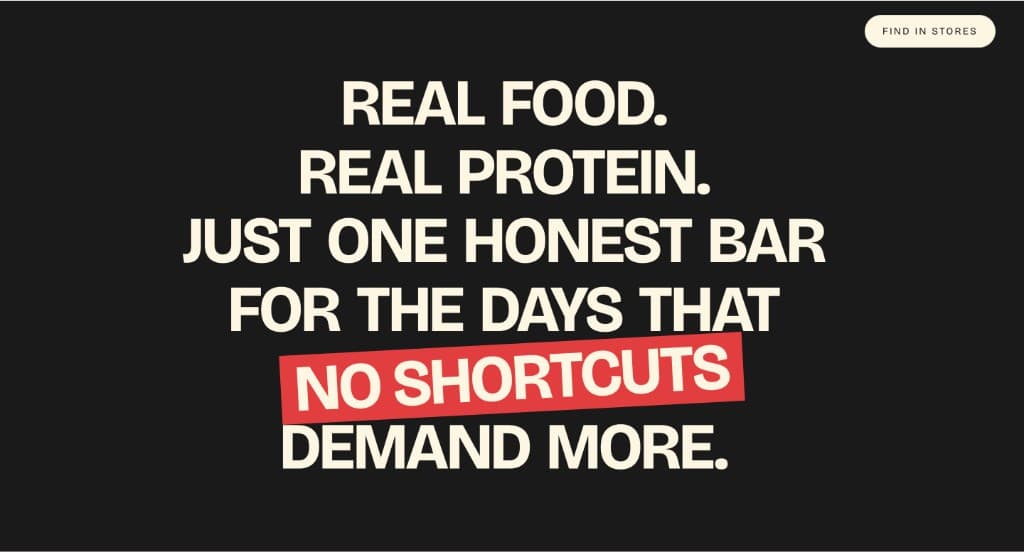
This is a marketing site I built for a fictional gluten-free protein bar brand. I owned the information architecture, the component system, and the frontend, end to end. Below is how I made the calls I did, including the ones I cut and the ones I'd do differently next time.
Role
Solo build, end to end
Timeline
Three weeks, evenings and weekends
Scope
Information architecture, component system, frontend
Stack
React, TypeScript, Vite, React Router, Tailwind v4, Framer Motion, GSAP
The brief I gave myself
The premise: a new CPG brand needs a site that feels confident and shoppable before there's actually anything to ship. No inventory, no warehouse, no retail partners. Just the kind of marketing surface a real brand uses to earn its first wholesale meeting.
That framing is harder than it sounds. A real brand site can lean on real product photography, real testimonials, and real store locations. A fictional one has to build all of that scaffolding without crossing into make-believe. The real challenge was making the site read as a serious early-stage brand without faking proof it hadn't earned.
Research, briefly
I audited a dozen protein-bar and adjacent CPG sites. RXBAR, Aloha, David, Built, Magic Spoon, Olipop, and a handful of indie brands. Three patterns kept showing up.
First, the homepage usually overstuffs the hero. Brands try to land a tagline, a flavor lineup, social proof, and a primary CTA all in one viewport. The pages that read best treat the hero as a single argument and trust the next scroll to do the rest.
Second, ingredient transparency is a real differentiator and a real product problem. Most brands list ingredients in a way that reads like legal copy. The ones that win on trust make the ingredient panel feel like the front of the package.
Third, store locators are almost always disappointing. They load slowly, return zero results in obvious zip codes, and rarely tell you when the data was last updated. There's a small but real opportunity to approach this honestly.
I also leaned on what I'd picked up from my BI internship. Decisions stick when they connect to a number the team can defend. So even on a fictional brand, every IA call had to answer the question: what would a real founder measure to know this worked?
Decisions
A token-driven system before any page
I started in tokens. Color, type ramp, spacing, and motion timing all live in Tailwind v4 theme tokens. The flavor pages, the locator, and the home page all share the same rhythm because of it. Building the system first felt slower for the first 2 days and saved me a week after that. Visual decisions stopped being one-offs.
A real route for every flavor
The instinct was to put every SKU on one shop page. That collapses 3 different stories (ingredients, taste, and use case) into a row of cards. I gave each flavor its own URL, hero, ingredient breakdown, and pairing notes. The tradeoff is more pages to maintain. The win is that each flavor reads like a product instead of a thumbnail.
A store locator that lies less
For a fictional brand, the lazy move is a fake map with fake pins. I built the locator UI assuming the data layer would arrive later, and I wired up the empty, loading, and zero-result states before the happy path. The page tells the truth about availability instead of pretending coverage I don't have.
Motion that points at hierarchy, then gets out of the way
Framer Motion handles the entrance reveals to set hierarchy on first paint. GSAP handles the pinned scroll moments on the home page where the story benefits from a beat. Everywhere else, motion is opt-in to prefers-reduced-motion and stops at the fold. The rule I used: if the animation doesn't change what the reader understands, it shouldn't be there.
Contact form built as a real conversion
Even for a fictional brand, the contact form was treated as a primary path. Real labels, real validation states, error copy written in plain English, and a success state that closes the loop instead of dumping the user on a redirect wall. It's the cheapest page on the site to take seriously, and the one that signals everything about how the team behind it would treat a customer.
What got cut
Cuts are part of the work. These are the 3 biggest, and the reasons hold up better than the original scope did.
Cart and checkout
I scoped a cart, mini-cart, and a Stripe-style checkout in the first sketch. I cut it. With no real inventory, fulfillment, or payment partner, shipping checkout would have meant building a lie. The contact form became the conversion. The brand reads as honest instead of overreaching.
A custom 3D bar renderer
The first concept had a WebGL hero with a rotating bar. It looked great in isolation and felt like a tax everywhere else. Load time, motion accessibility, and a hero that fought the headline for attention. I replaced it with a photographic hero and put the saved week into the flavor pages.
An on-site blog
I drafted an IA with a Journal section for recipes and ingredient deep-dives. It was a content commitment I couldn't honor solo, and an empty blog dated the site immediately. Cut. If the brand were real, I'd build the blog when there were 3 real posts ready.
What I would do differently
Four honest notes. The site shipped. These are the things I want to fix before the next one starts.
Test the hero on a phone first
I built the desktop hero first and adapted down. The mobile version works, but it reads as a translation of the desktop layout. Next time I want to compose the small-screen hero first and let it pressure-test the desktop layout.
Write the brand voice document before the headlines
I wrote headlines and discovered the voice. That's fine for one page. By page four, I was reverse-engineering rules. A one-page voice doc (what we sound like, what we never say, 3 reference brands) would have saved me hours of copy rewrites.
Set a real motion budget
I added motion as I went and pulled some of it back at the end. A motion budget written up front (number of animated elements per viewport, max duration, reduced-motion fallbacks) would have stopped me from cutting things I'd already polished.
Treat the locator as a real product flow
I shipped states for the locator, but I never wrote the empty-state copy as carefully as I wrote the home page copy. If a real user hit zero results, the page would feel like a dead end. Next time, the page that fails most often gets the best writing pass.
What shipped
- A multi-page React + TypeScript app on Vite, with real routes and code-split entry points.
- A Tailwind v4 token system covering color, type, spacing, radius, and motion timing.
- Dedicated flavor detail pages with ingredient breakdowns and pairing notes.
- A store locator UI with deliberate empty, loading, and zero-result states.
- A contact form built as a primary conversion, with real validation and success states.
- Framer Motion entrance choreography and GSAP scroll moments, both with reduced-motion fallbacks.